Customers come to you
Manage repeating appointments, staff availability, customer preferences and reminders without needing route planning.
Explore appointment businesses →Booking, scheduling and route optimisation
RouteRoster brings recurring appointments, customer requirements, team availability and reminders into one clear schedule. When your team travels, optimise routes and review every proposed change before it goes live.
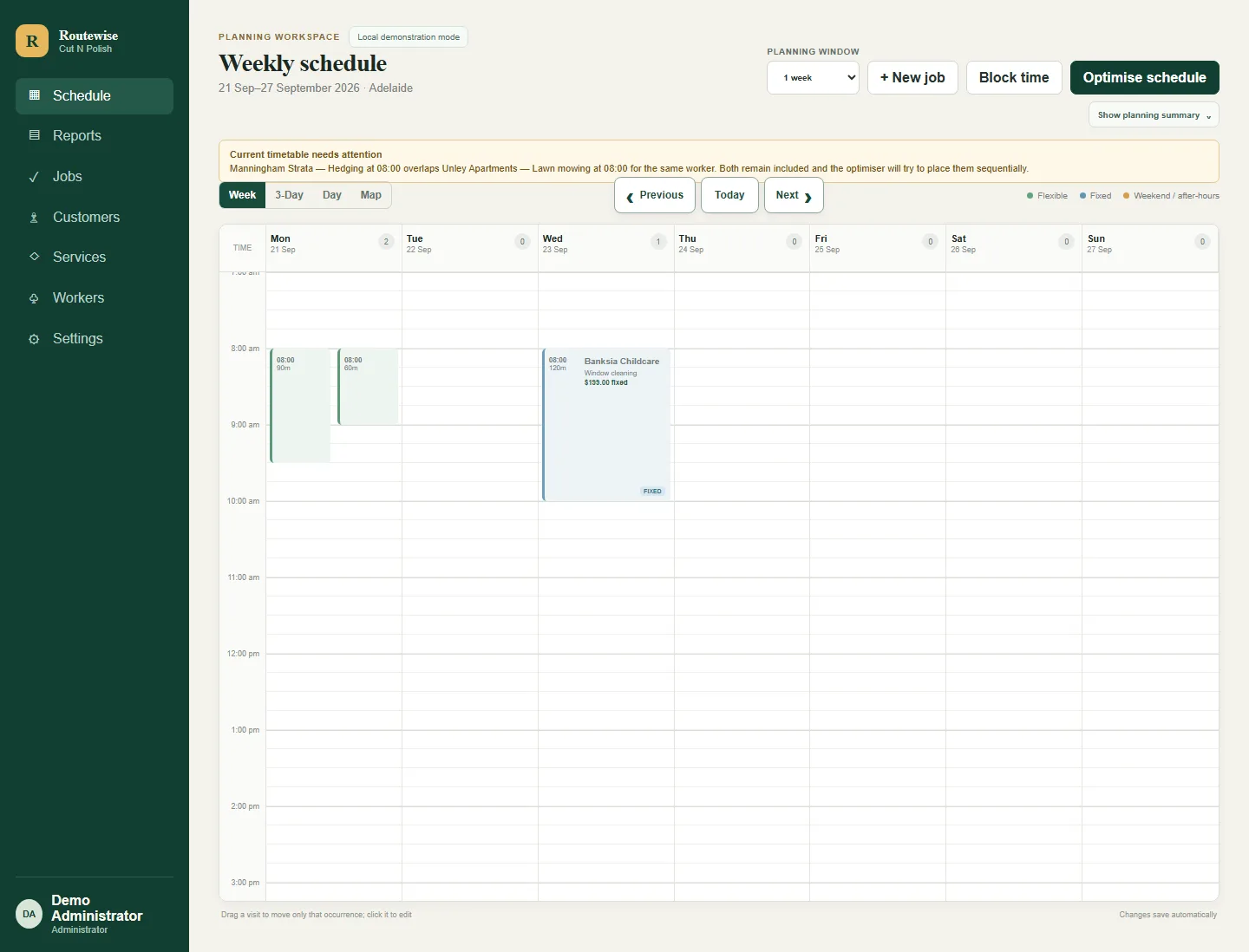
One scheduling foundation. Two ways of working.
Some teams serve customers from one location. Others travel from job to job. RouteRoster supports the recurring bookings, staff coordination and reminders both need, then adds powerful route optimisation when the work moves.
Manage repeating appointments, staff availability, customer preferences and reminders without needing route planning.
Explore appointment businesses →Schedule recurring field work, account for real customer and Worker constraints, and optimise practical routes across the working week.
Explore mobile services →Recurring work without losing control
Keep one-off and recurring work together in the same schedule. When plans change, choose whether you are adjusting one visit or future visits rather than accidentally rewriting the series.
Reporting built around real questions
Start with a practical Common Question instead of building a report from scratch. RouteRoster's Reporting Views can help you review the work ahead, spot scheduling issues and understand planned workload. Adjust the usual dates and filters when you need a closer look.
Explore Reporting Views →Views and financial details depend on role, permissions and enabled features. Capacity uses configured availability; estimated value is not revenue.
Route optimisation with a review step
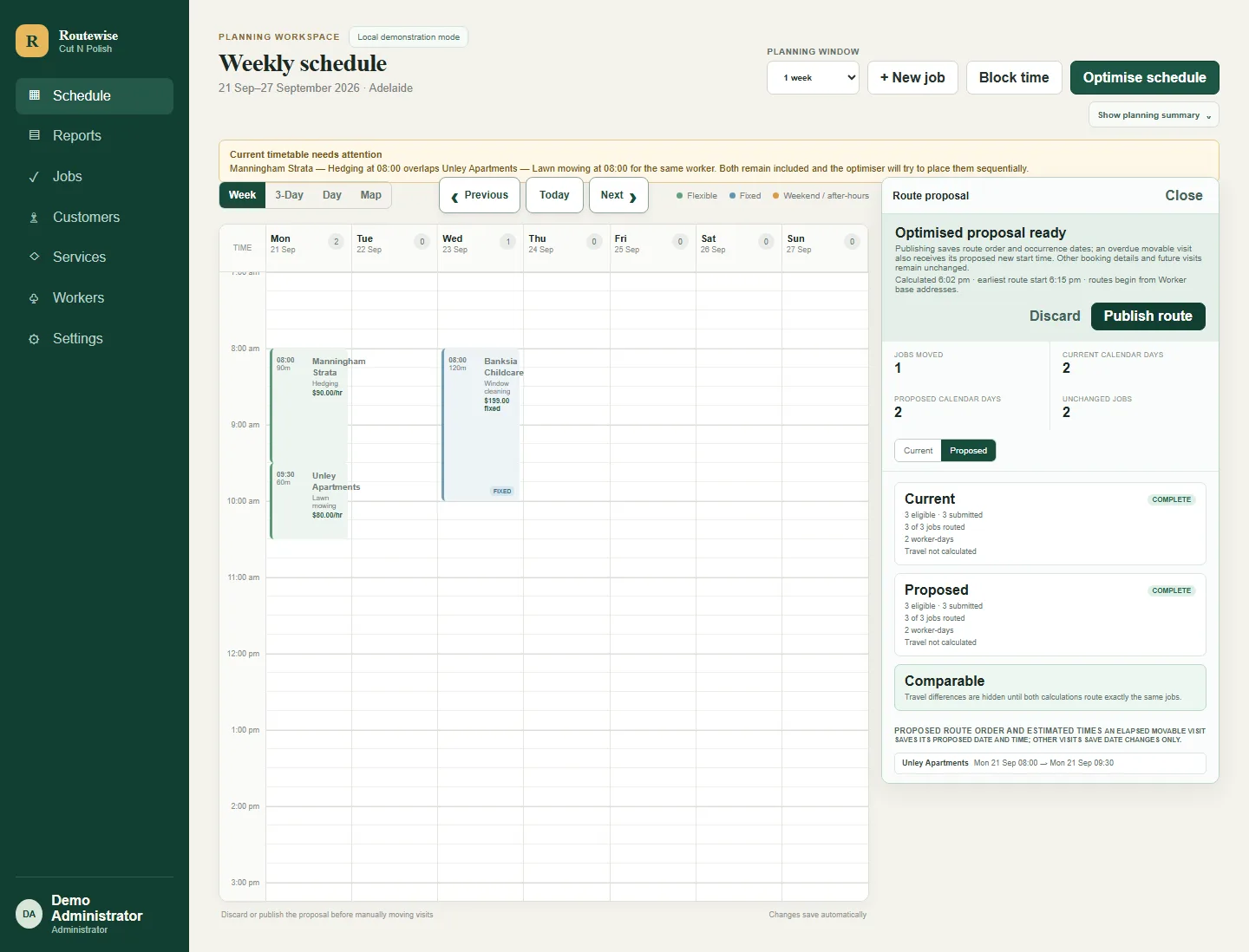
RouteRoster combines the existing schedule with customer requirements, Worker availability and travel planning. It prepares a proposal for review while the live schedule stays unchanged.
Customer context and reminders
Store contact details, service addresses, access instructions, scheduling preferences and operational notes alongside the customer record.
Schedule transactional appointment reminders where the email service is enabled.
Use one-way, consent-based SMS where sender and provider requirements are ready.
How it works
Add customers, services, Workers and the booking requirements that matter.
Create one-off or recurring work and account for availability and commitments.
Compare a route-aware proposal with the current plan before deciding whether to publish it.
30-day free trial
No credit card. Up to five Workers, 100 submitted reminder emails and 20 provider-accepted SMS segments. If you enable route optimisation, the trial also includes 50 optimised appointments.
Trust through clear boundaries
Administrator, Scheduler and Worker are the formal RouteRoster roles. The Scheduler role suits managers and office staff who coordinate bookings, Workers and day-to-day operations, while provider credentials remain on protected server boundaries.
Read about security and privacy →Frequently asked questions
No. Bookings, recurring schedules, customer records, staff coordination, reminders and reporting remain useful for businesses working from one location. Route optimisation is available when Workers travel between customers.
Yes. The 30-day free trial requires no credit card and includes all generally available features, up to five active Workers, 100 submitted reminder emails and 20 provider-accepted SMS segments. If you enable route optimisation, the trial also includes 50 optimised appointments.
No. RouteRoster prepares a proposal that an authorised person can compare with the Current plan. The live schedule stays unchanged until that proposal is published.
RouteRoster supports scheduled email reminders and controlled, consent-based SMS reminders where those services are enabled for the business.
Reporting Views start with practical questions about today's work, scheduling exceptions, planned Worker capacity, customers, services and recurring work. Authorised financial views show estimated scheduled value, and route reviews are available when routing is enabled. You can adjust the usual report dates and filters; Workers see role-appropriate own-work information.